Your Kindle highlights suddenly end with “...”, or the Kindle app says you have hit a limit when you try to export them. This happens because each book has a limit set by its publisher on how much you can take out of Kindle. People usually call it the Kindle “copy limit.”
This guide explains what the limit is, where it shows up, and how to read and keep highlights from a book that has hit it. We only describe what we could check ourselves, including what we could not find about resetting the limit.
The short answer
| Question | Answer |
|---|---|
| What is the copy limit? | A limit, set by the publisher for each book, on how much you can export (a percentage of the book) |
| How big is it? | It depends on the book. We saw 10% on one book and 1% on another |
| Where can I see it? | On iPhone, the Kindle app’s Export Notebook screen shows the limit and how much you will use. On the Kindle Notebook page, the part over the limit becomes “...” |
| Are my highlights lost? | No. The Kindle app’s Annotations view shows them in full |
| Can I reset it? | We could not find a way |
What you'll learn
- What the Kindle copy limit (export limit) is, and how much it varies between books
- Where the limit shows up: the Kindle app on iPhone and Amazon’s Kindle Notebook page
- How to read the full text of highlights from a book that has hit the limit
- How to keep the part over the limit as your own reading notes
 What the copy limit is
Every Kindle book has a limit on how much you can take out of it, such as by exporting highlights. The publisher sets this limit for each book, as a percentage of the book.
In the Kindle app on iPhone, open a book and tap the middle of the page. Tap the notebook icon (third from the right) in the toolbar to open Annotations.
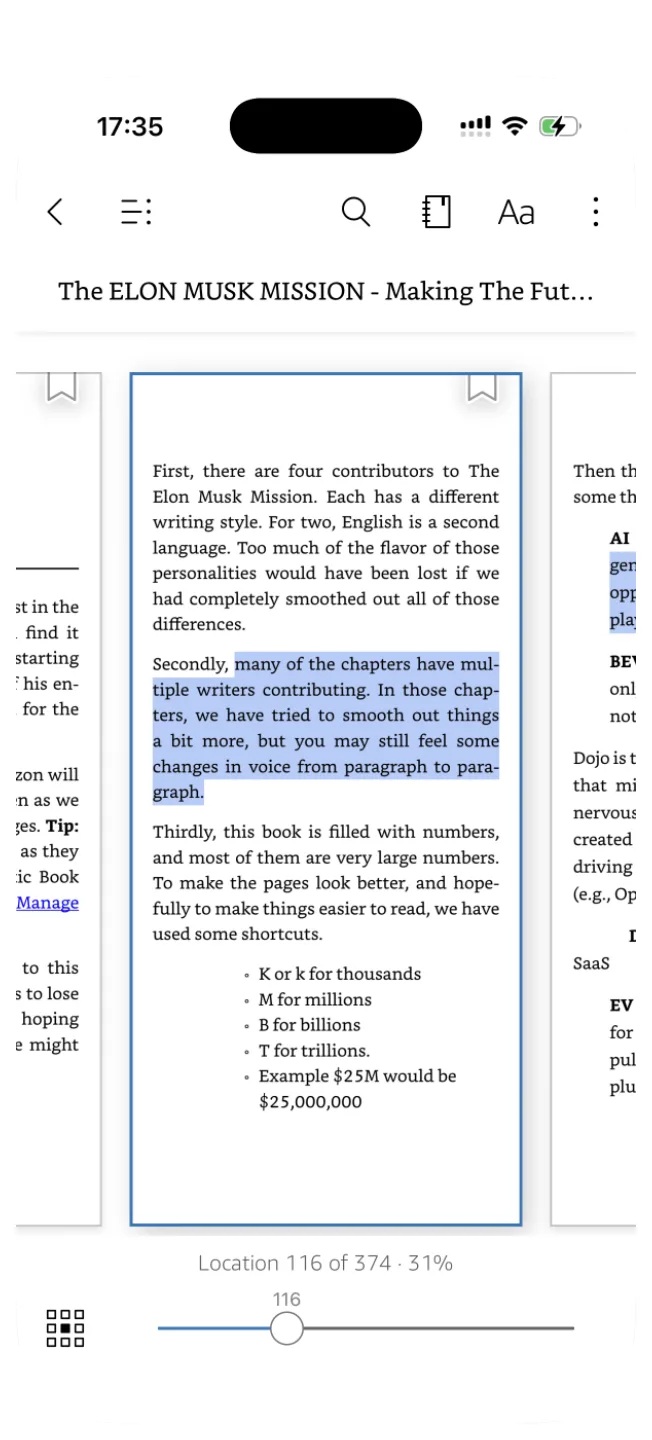
In Annotations, tap the share icon at the top right. The Export Notebook screen shows the book’s limit at the bottom.
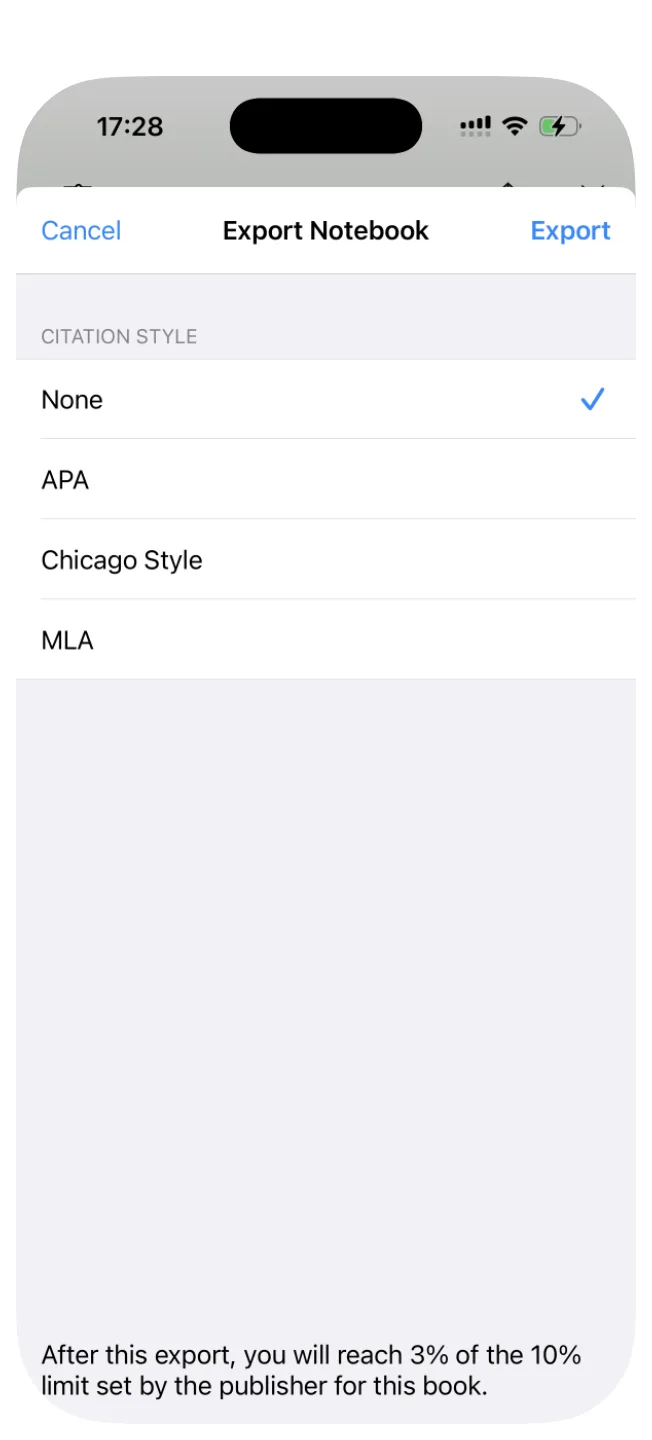
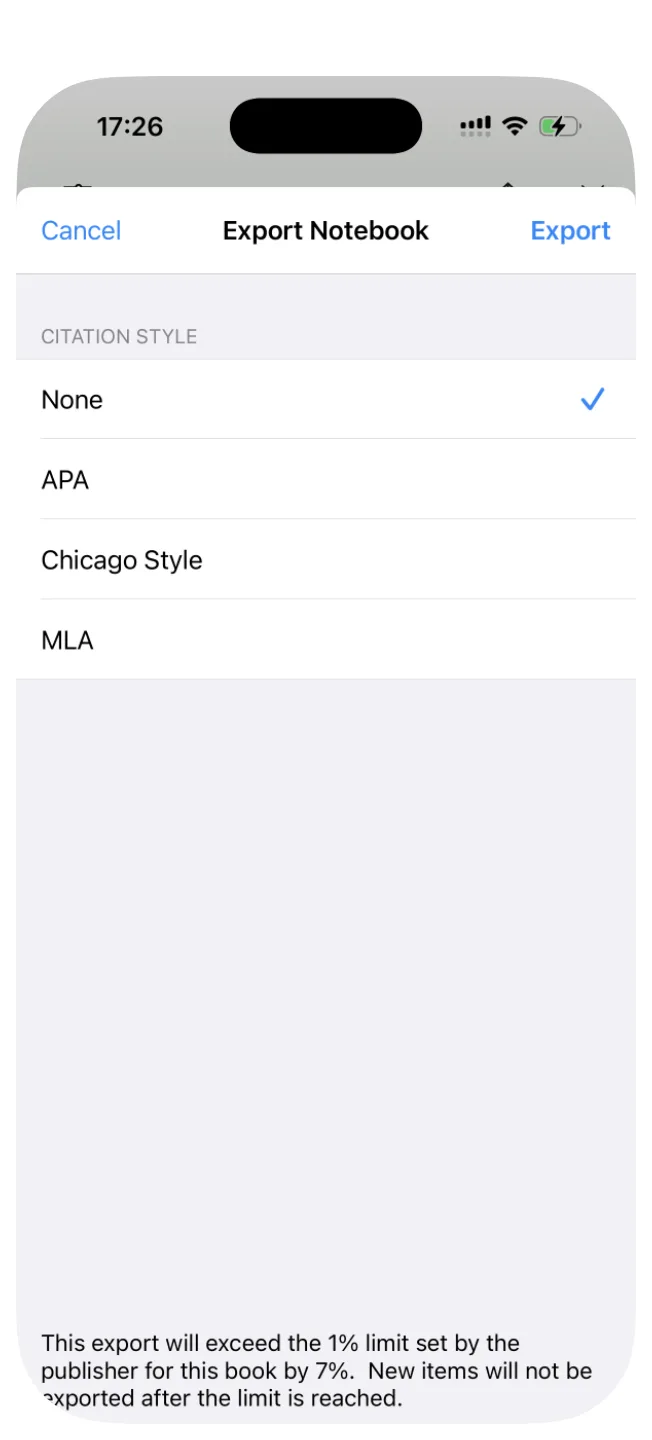
The first book said “After this export, you will reach 3% of the 10% limit set by the publisher for this book.” The second said “This export will exceed the 1% limit set by the publisher for this book by 7%. New items will not be exported after the limit is reached.” In the same account, one limit was ten times the other.
What happens when a book hits the limit
Highlights are cut off with “...” on the Kindle Notebook page
Amazon’s Kindle Notebook page (read.amazon.com/notebook in the US) lists your highlights by book in a web browser. For a book over the limit, highlights stop partway and end with “...”, and the page shows a note that some highlights are hidden or shortened because the export limit was reached.
We checked this on Amazon Japan’s version of the page, where several books in our account were cut off. Books with many long highlights, or with a small limit, reach it sooner.
New items stop exporting
As the second screen above says, once a book reaches its limit, “New items will not be exported.” The percentage on the Export Notebook screen tells you how close a book is before you export.
How to read the full highlights
Use Annotations in the Kindle app. Even for a book over the limit, opening the book in the Kindle app and showing Annotations displays each highlight in full.
In our test, a highlight that ended with “...” on the Kindle Notebook page appeared in full, to its last sentence, in Annotations on iPhone.
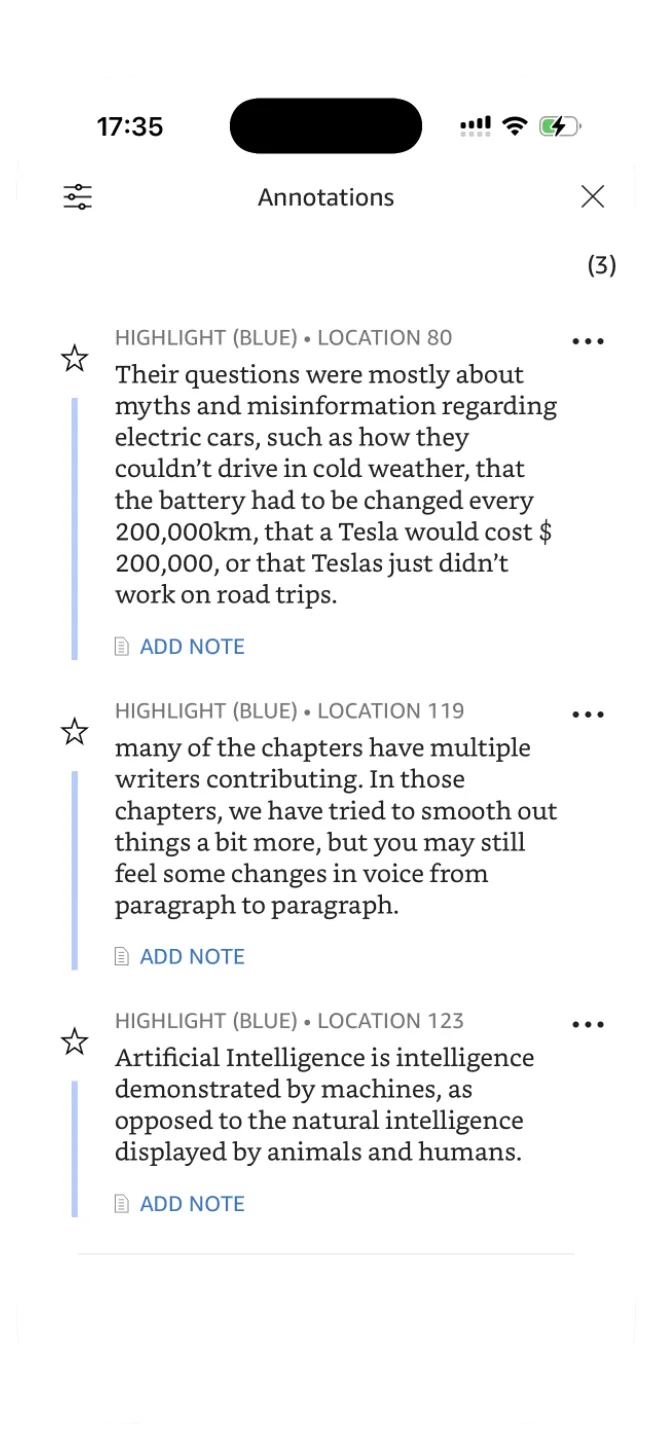
So the limit applies when you take highlights out of Kindle. If you only want to reread them inside Kindle, the limit doesn’t get in the way.
How to keep the part over the limit as your own notes
If you want the part over the limit somewhere outside Kindle, such as a notes app or Notion, you have to copy it out yourself:
- Type it out: read the highlight in Annotations and type it into your notes. The most reliable way, but slow for long passages
- Read the text from a picture: take a screenshot or photo of the page and turn it into text with an OCR feature (for example, Live Text on iPhone), then fix any mistakes
Either way, keep it to personal reading notes. Don’t publish or share the book’s text.
Summary
- The Kindle “copy limit” is a limit, set by the publisher for each book, on how much you can export. It varies: we saw 10% and 1%
- The Kindle app’s Export Notebook screen on iPhone shows the limit. On the Kindle Notebook page, the part over the limit becomes “...”
- Hitting the limit doesn’t delete highlights. Annotations in the Kindle app shows them in full
- We could not find a way to reset or remove the limit
- To keep the part over the limit outside Kindle, type it out or read it from a picture, as personal notes