Never Forget
What You've Read
Have you ever forgotten the content of a book after reading it?
BookNotion automatically collects your Kindle highlights so you can look back on them. Start for free with the Chrome extension on your PC or with the iPhone and iPad app.

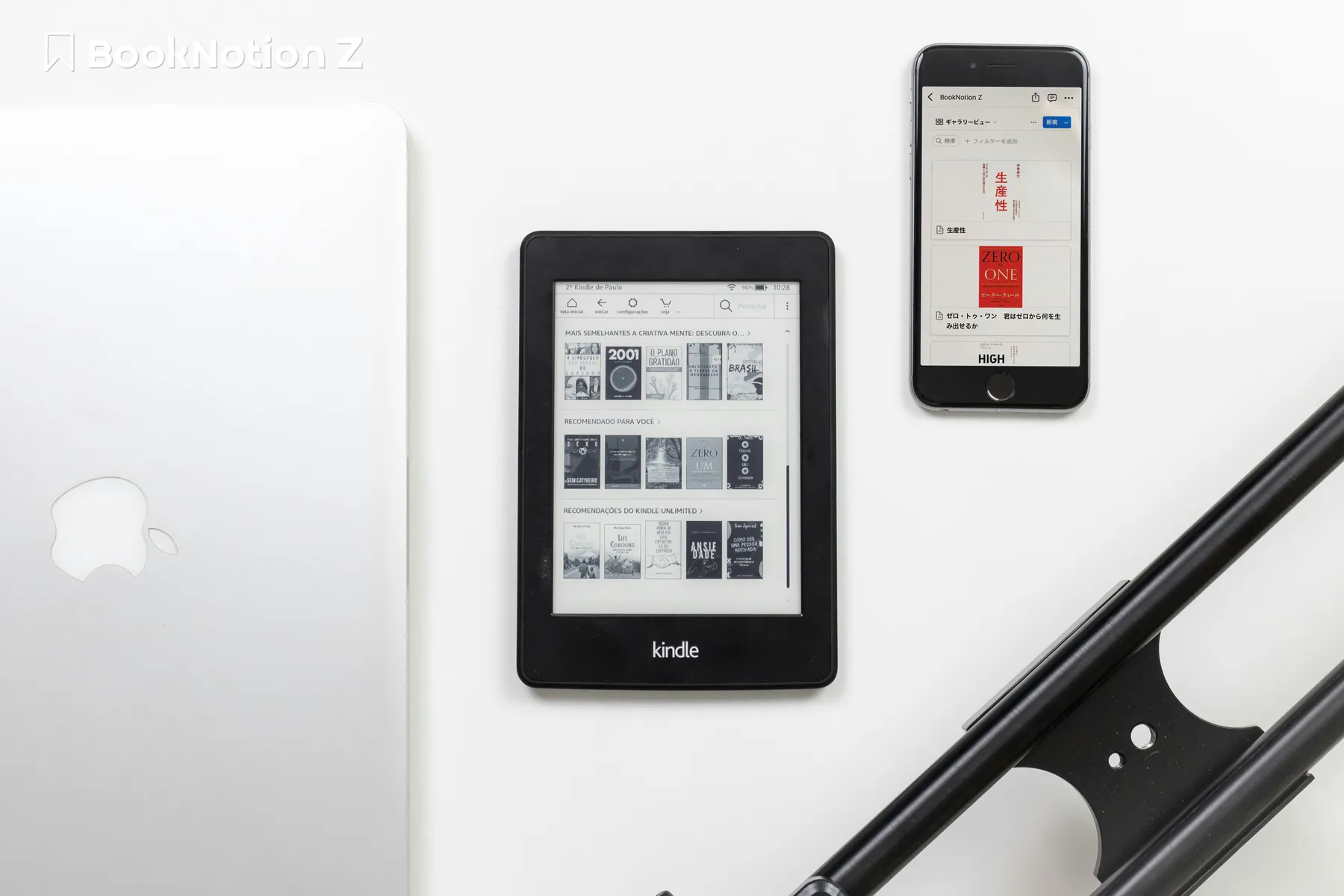
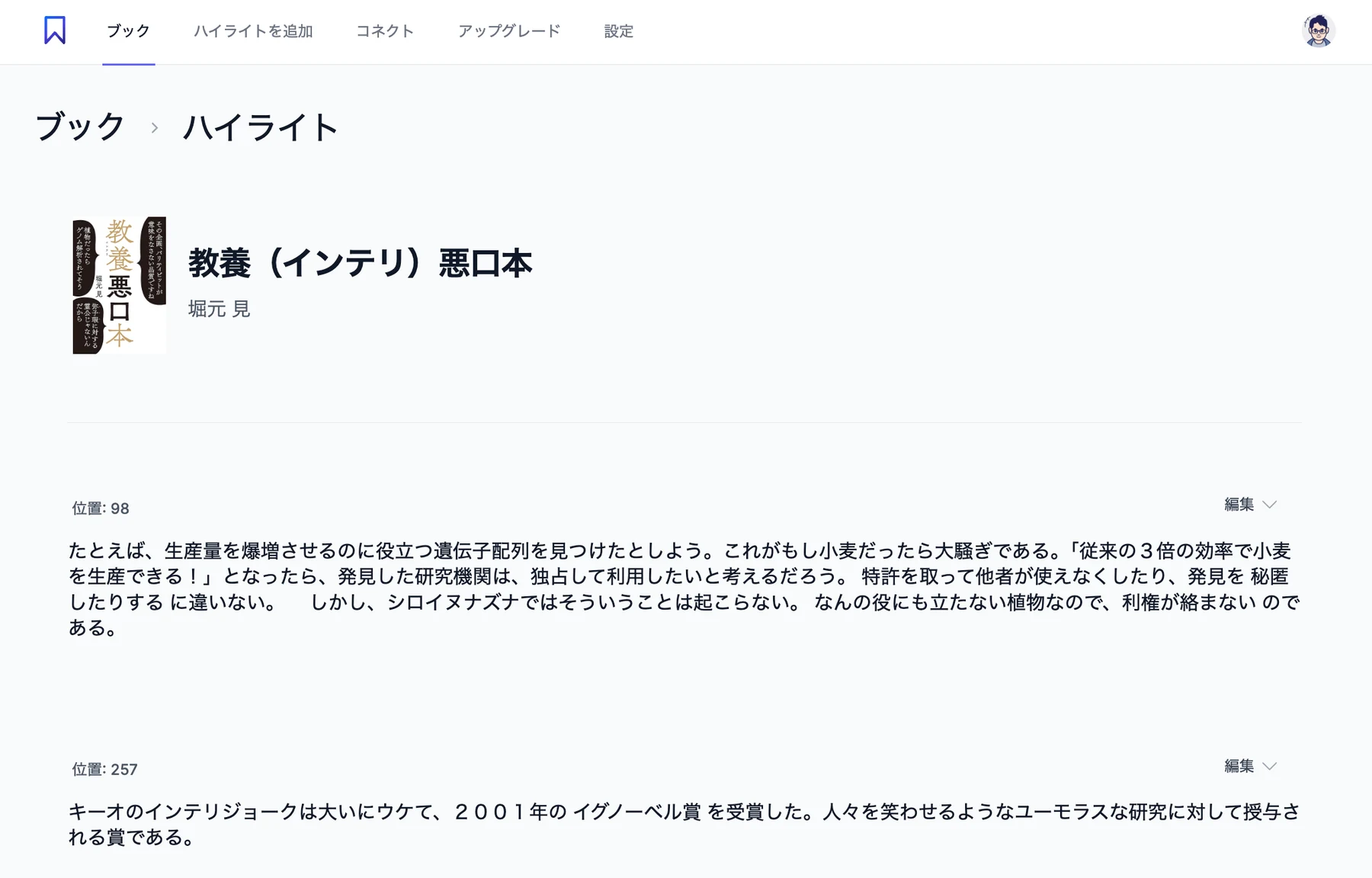
Import
Automatic import of Kindle highlights
Just highlight in Kindle, and the book title, author and highlights are imported automatically, whichever device you highlight on: Kindle e-readers, iPhone, iPad, Android, Mac or PC.
- Fully automatic with the Chrome extension
- With the extension installed in Chrome on your PC, highlights are imported every hour. No extra steps needed
- Also in the iPhone and iPad app
- Just sign in to Amazon in the app. New highlights are imported each time you open the app. Your password is never sent to BookNotion
- Book covers included
- Titles, authors and book covers are imported too, so your library looks great
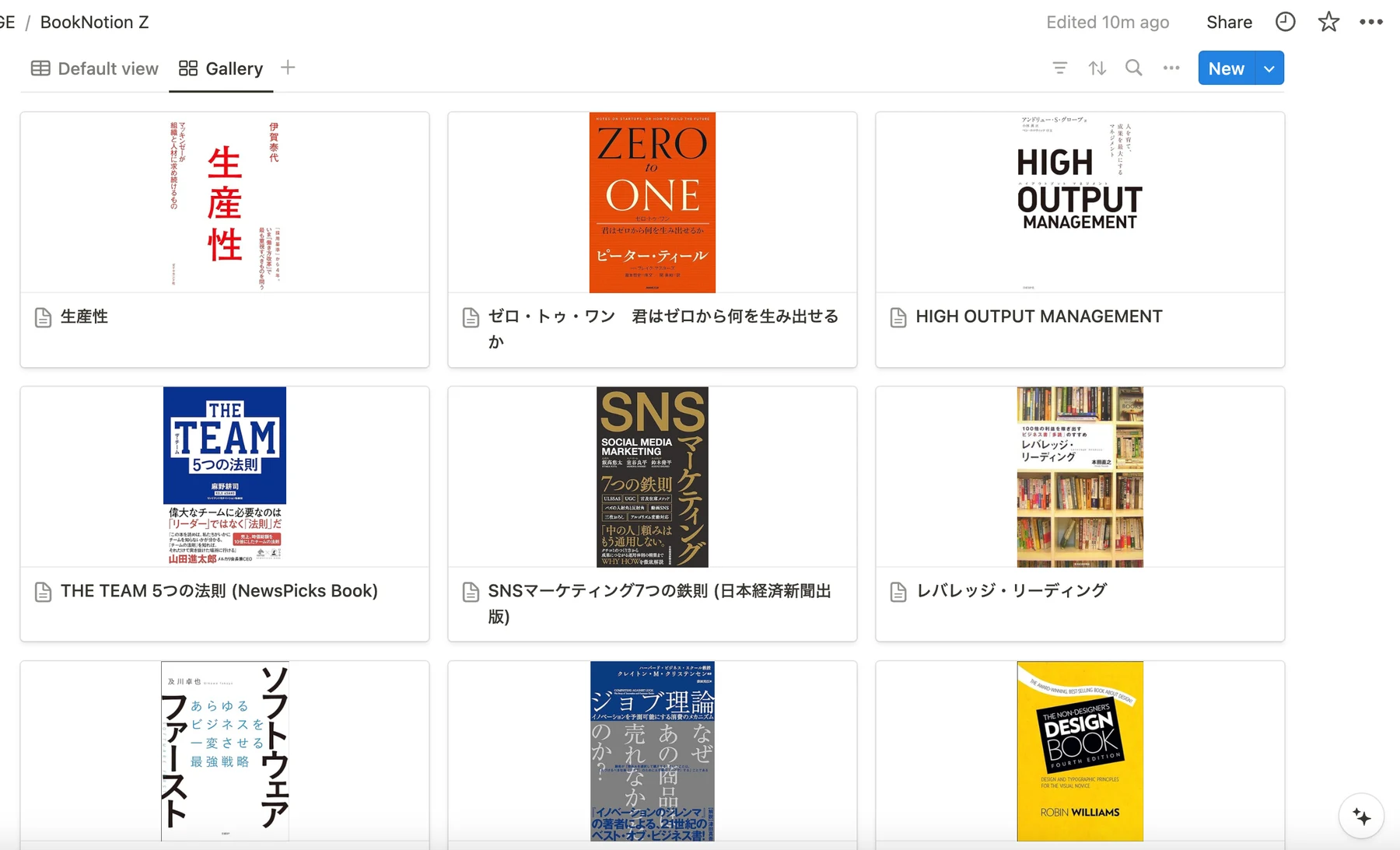
Export
Notion integration (Z Plan)
With the Z Plan, highlights are exported to Notion automatically. Two databases are created: one for books and one with a row for each highlight.
- No complicated setup
- No integration tokens or database design needed. Connect on the web or in the iPhone and iPad app by following the on-screen steps
- Books and highlights databases
- In addition to a list of books, each highlight gets its own row, so you can sort and filter your highlights
- Customize freely in Notion
- Add properties such as purchase date or your rating, and customize as you like
User Testimonials
BookNotion is
Loved by
Many Users
A video interview of a user of a service I frequently use has been created. This is especially recommended for those who read on Kindle 😊 【The Science of Sales/Unbeatable Sales by Koichi Takahashi】 Discussing the divine features of BookNotion Z as a user / Reading Management Techniques

I was wondering if there was a way to manage my Kindle reading notes in one place and process them with AI to deepen my understanding... Then I discovered 'BookNotion,' a divine app! It automatically saves reading notes → uses Notion AI to organize and develop thoughts. This is too good! It might revolutionize the reading experience...

Even for books that left a great impression on me, I often forgot their content, which I found regrettable. Now, I save highlighted or tabbed sections from both Kindle and paper books in BookNotion for easy search later. It helps me organize my thoughts and transforms my reading experience! Plus, since I save only the words that moved my heart, revisiting them always makes me feel emotional.

For anyone who reads with Kindle, this is a must-have tool. It lets you create a treasure trove of wisdom by summarizing passages that resonate with you.

Thanks to BookNotion Z, my approach to reading on Kindle has changed. Specifically, I now highlight a broader range of text. Previously, I only highlighted single, impactful sentences, but after using this app, I now include entire contexts. Simply receiving the highlighted sections via email makes it incredibly useful.

Kindle Unlimited and BookNotion Z each cost around 1,000 yen. It's amazing that for the price of one book, you can have unlimited reading and stress-free database management. What an era to live in 📕

Tried BookNotion Z, a service that automatically syncs text highlighted on Kindle to Notion. It's amazing! The Notion database is beautifully synced. Switching to 'gallery view' even allows you to see book covers. All you need is to install the dedicated Chrome extension and leave your PC running—it syncs automatically every hour.

With BookNotion Z, I find the feature to receive a daily random highlight email at a specified time extremely helpful. It's a cycle of knowledge accumulation that's hard to achieve with paper books.

BookNotion is too good to recommend enough! It automatically compiles highlighted sections from Kindle to Notion, so you no longer need to manually keep reading records. The feature to randomly send highlights via email is also divine!

Pricing
Importing and viewing highlights is free.
Export to Notion and customizable reminder emails are available with the Z Plan.
Free Plan
Recommended for those who want to try it out first
- Automatic import of Kindle highlights (Chrome extension, iPhone/iPad app)
- Monthly reminder email
Z Plan
¥9,600 per year (¥800/month) on the web. US App Store: $7.99/month or $79.99/year
Recommended for those who want to manage their reading in Notion and maximize their reading experience
- Automatic retrieval of Kindle highlights
- Customization of reminder notification emails
- Export to Notion (books and highlights databases)
- Manual registration of highlights (compatible with physical books)
- Migration of data from the earlier BookNotion app
Try for Free First
Make reading more enjoyable,
management easier, and life richer with BookNotion
FAQ Frequently Asked Questions
If you have any questions or requests, please feel free to contact us. Contact Us
- What can I do for free?
Automatic import and viewing of Kindle highlights are free, and you get a monthly reminder email. Export to Notion, customizable reminder emails and manual highlight entry are Z Plan features.
- Do I need a PC?
No. In the iPhone and iPad app, just sign in to Amazon to import your highlights (they are imported when you open the app). With the Chrome extension on a PC, highlights are imported fully automatically every hour.
- Is there a smartphone app?
Yes, there is an iOS app for iPhone and iPad. You can download it from the App Store. There is no Android app.
- Is signing in to Amazon safe?
The app opens Amazon's official Notes and Highlights page and reads only your own highlights. Your password is never sent to BookNotion.
- Which devices are supported?
Highlights made on any device are imported: Kindle e-readers, iPhone, iPad, Android, Mac and PC. You can view them in a web browser, in the iPhone and iPad app, and in Notion (Z Plan).
- How are highlights saved in Notion?
With the Z Plan, two databases are created, one for books and one with a row for each highlight, and highlights are exported automatically. You can connect on the web or in the iPhone and iPad app.
- Can I change the properties of the databases created by BookNotion?
Changing the properties of the automatically created databases may break the Notion integration, so please do not change them. Adding new properties is fine.
- Does it work with Kindle's copy limit?
Highlights are imported from Kindle's Notes and Highlights, so you don't need to worry about the copy limit. However, very long highlights, or a very large number of highlights in one book, may not be fully imported because of Kindle's specifications.
- Can I save figures or highlights from paper books?
Automatic import does not include figures. With the Z Plan, you can add figures and highlights from paper books using manual entry, on the web and in the iPhone and iPad app.
- Can I migrate data from the earlier BookNotion app?
Highlights saved with the earlier BookNotion app (iPhone) can be migrated (Z Plan). Web and X highlights cannot be migrated.
- Are other e-readers or Kindle stores outside Japan supported?
Automatic import supports Kindle (other e-readers are not supported). Kindle stores in 13 countries are supported: Japan, the United States, the United Kingdom, Canada, Australia, India, Germany, France, Spain, Italy, Brazil, Mexico and the Netherlands. Choose your Kindle store when you sign up or in your account settings (for both the Chrome extension and the iPhone/iPad app).
- Can I export to apps other than Notion?
Currently, highlights can be exported to Notion only.